 HalfLap
How HalfLap works
Follow a cherry Shaker side table from model through workshop documents. Other real HalfLap examples show concept variations, movement comparisons and output.
You can also upload a photograph as a starting point for a design. Review the key dimensions and add construction details the photograph can’t show.
Drawing Board
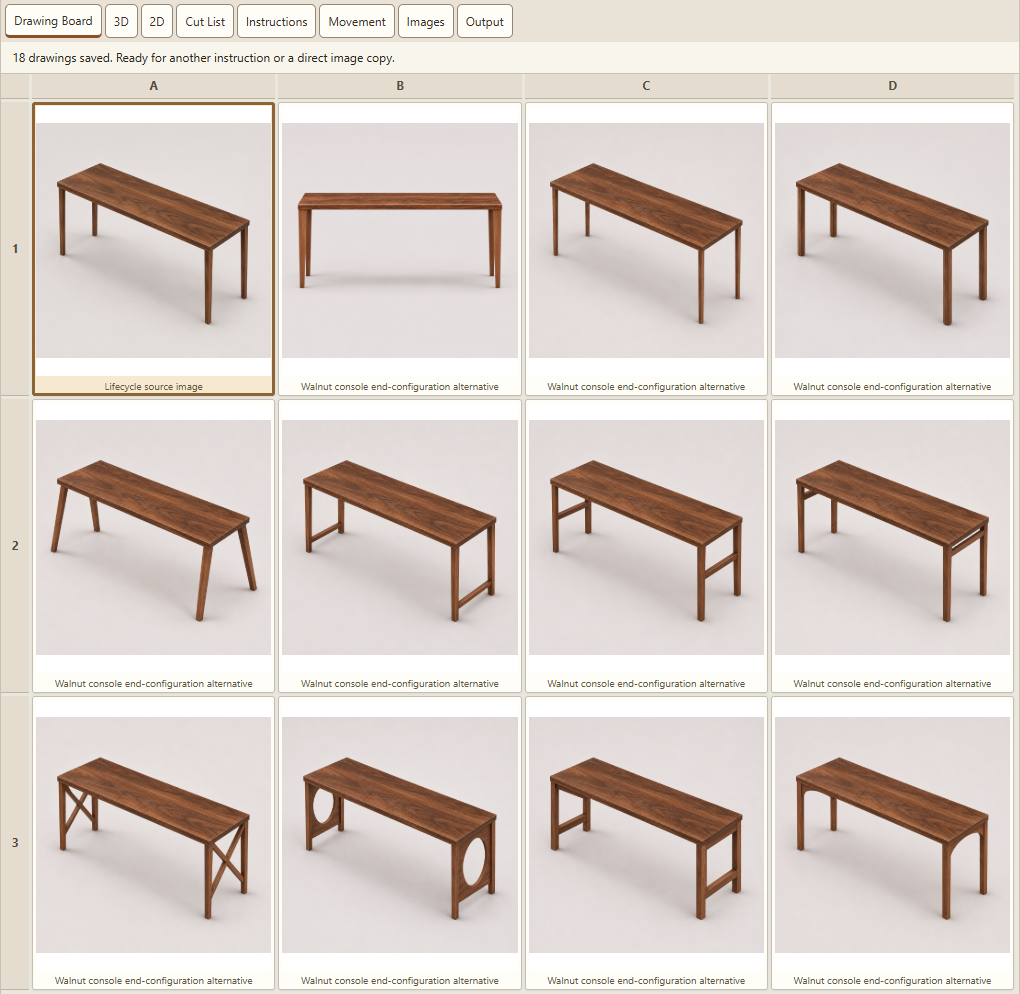
Start with the shape, materials and details you have in mind. Capture alternatives on the Drawing Board and compare the proportions and character of each design. Use the drawings to decide which details to carry into the model.
Recorded request excerpt
“Use a front elevation on a clean pale background. Preserve existing lower cross members, their position and thickness and both end connections if present.”HalfLap’s response excerpt
“Plan one in-place revision of Sheet1 B1 with slightly thicker, constant-horizontal-width uprights and a front elevation. Preserve its original revision and all other drawings.”
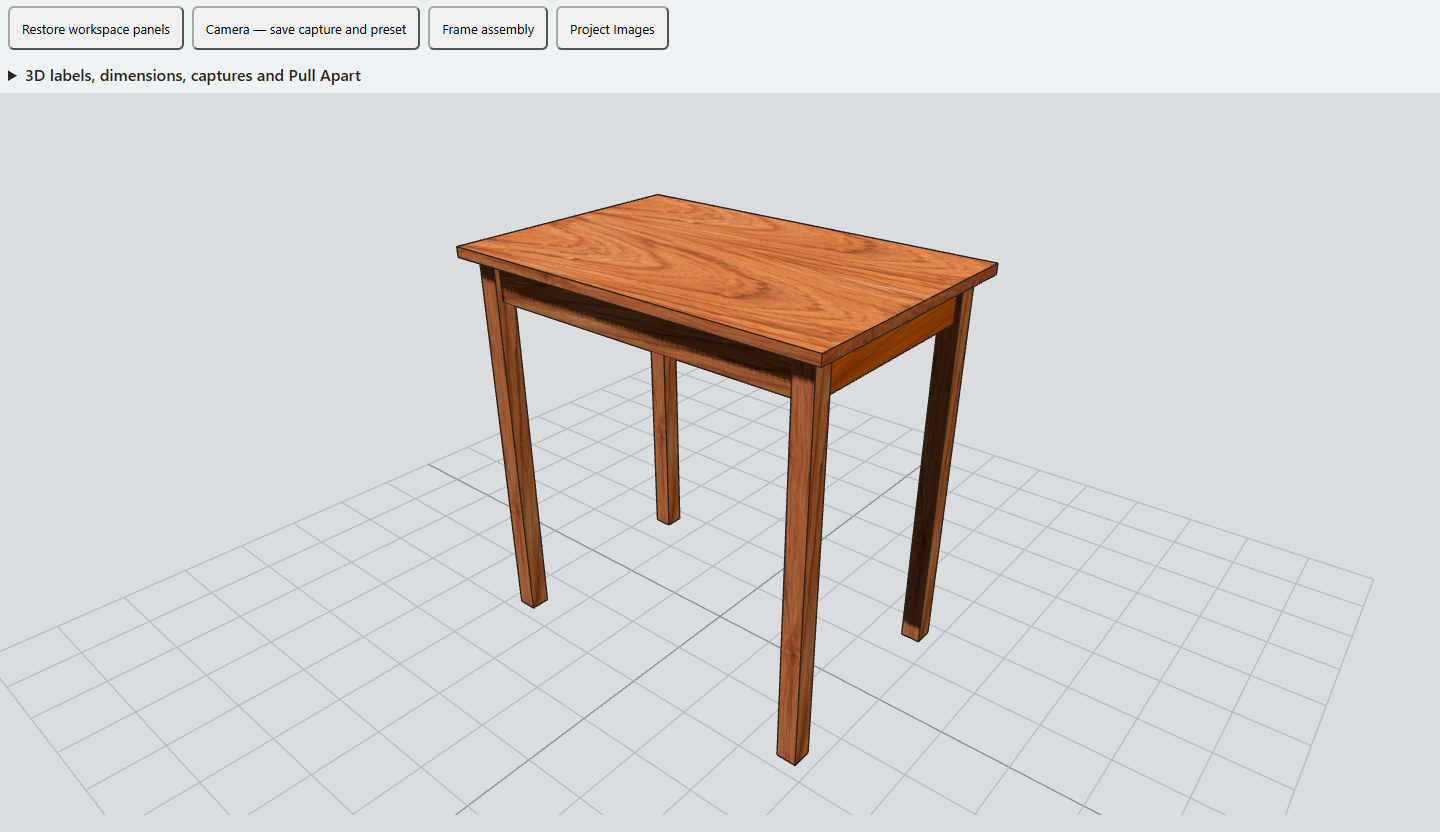
3D Development Space
Describe the pieces and their relationships using shop terms such as top, apron, leg and grain direction. Rotate the model, isolate pieces and inspect measurements as you refine the design. Use the model to check proportions before committing to a cut.
Try a refinement
“Change Top to 1 inch thick. Keep its upper surface 30 inches above the floor.”
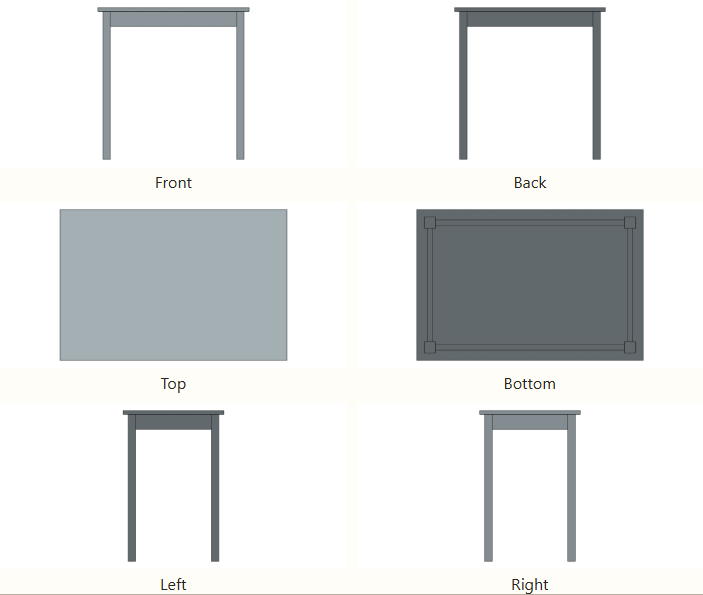
2D Visualization Space
Switch between six orthographic views to check alignment, clearances and proportions without perspective. Use Print Piece to prepare a dimensioned view or template for an individual piece.
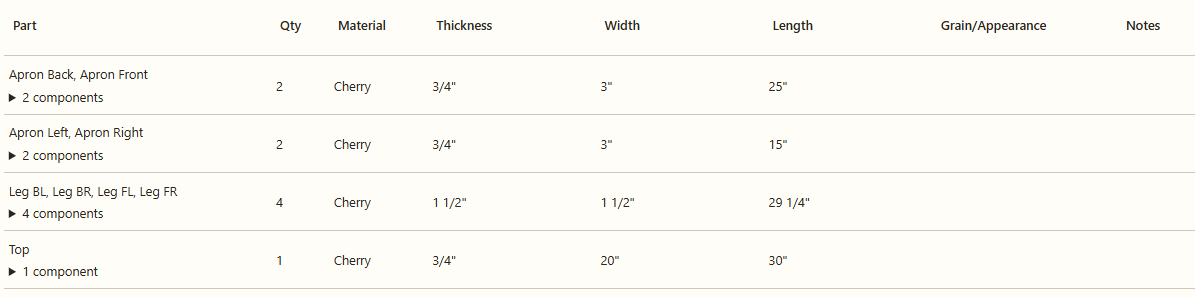
Automatic Cut List
Generate a list from the current model and review the individual or consolidated pieces before milling. Read quantities alongside material and finished dimensions, then revisit the list when you revise the design.
AI-Developed, Editable Instructions
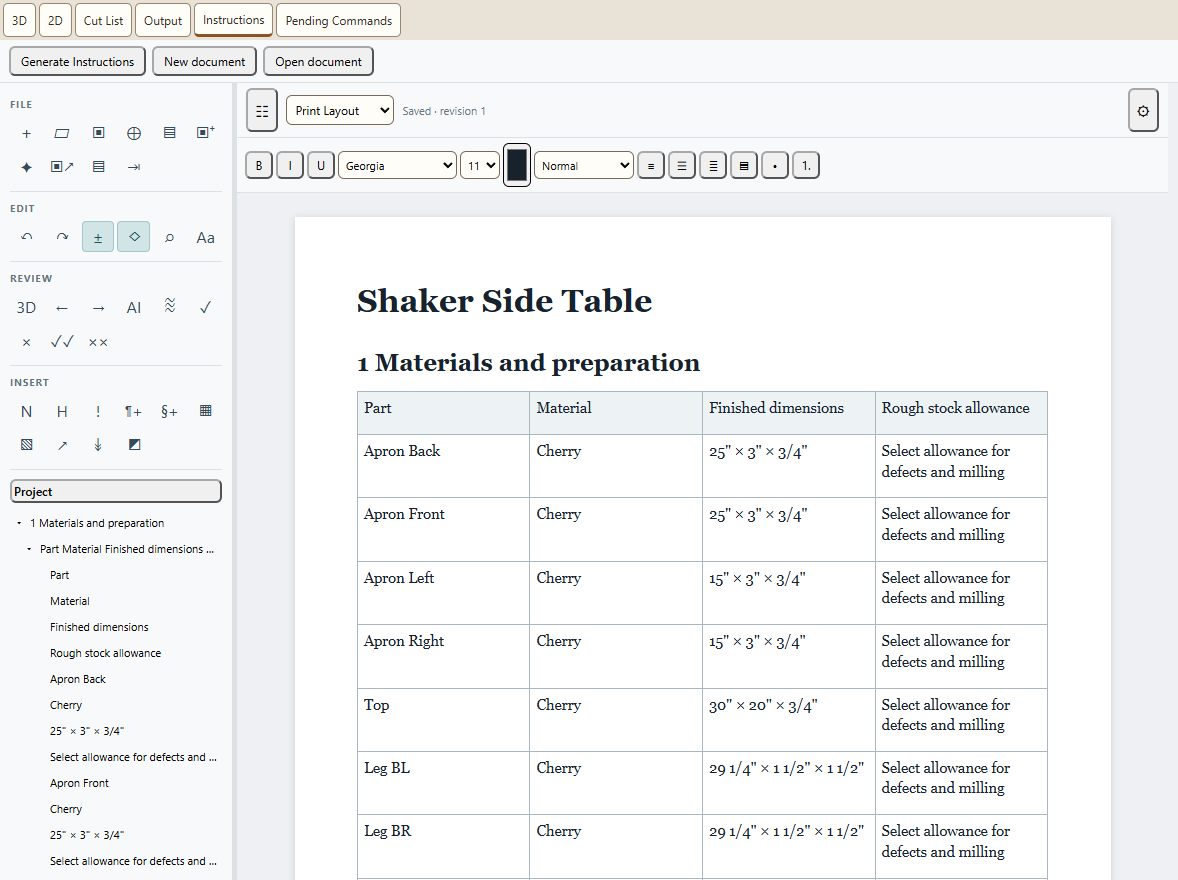
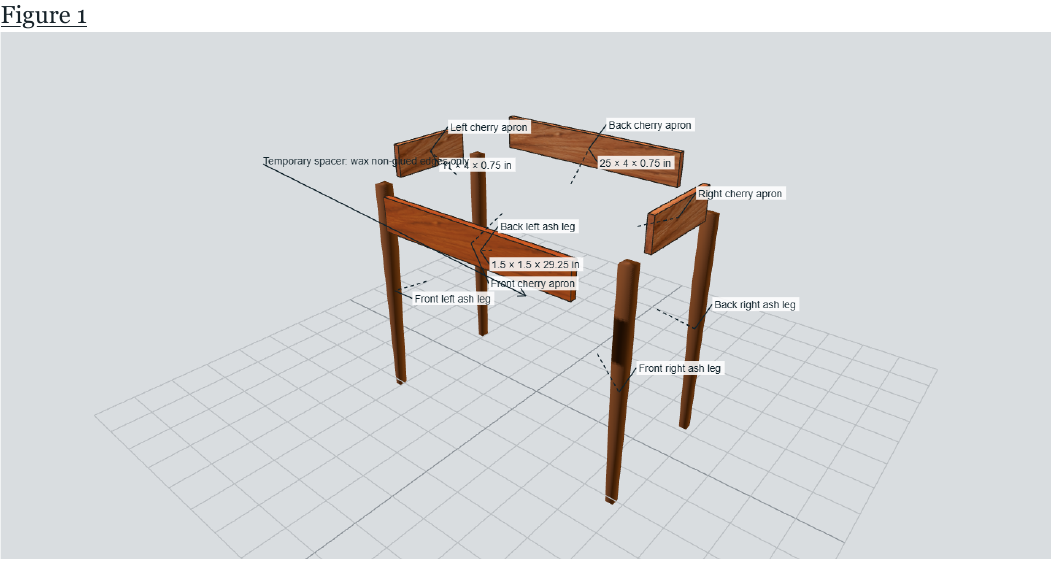
Use the instructions editor to assemble a shop guide you can revise. Start from a project checklist or use AI-assisted drafting where available, then check the sequence, edit the steps, and add project images where they help explain the work.
Automated Wood Movement Analysis
Set moisture scenarios and compare how the projected dimensions of parts and assemblies change. Review the differences to identify places where connected parts may move by different amounts. Use those findings to inform joinery, grain direction and allowances.
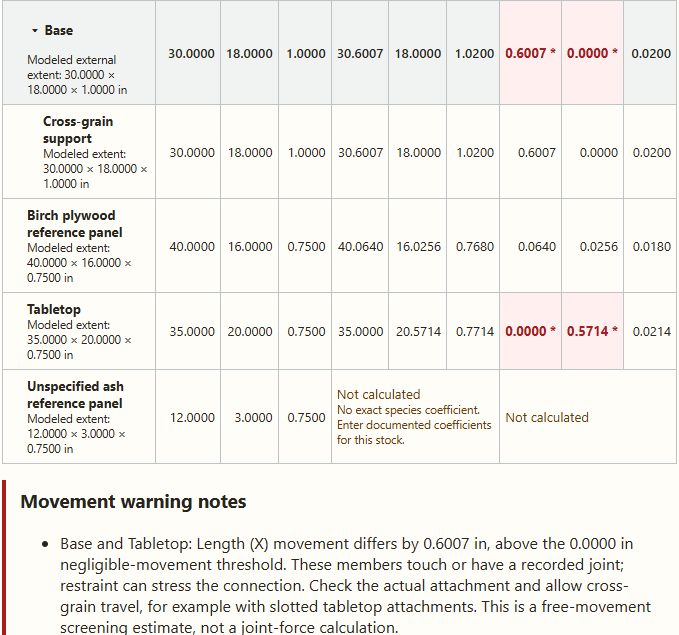
Image Library
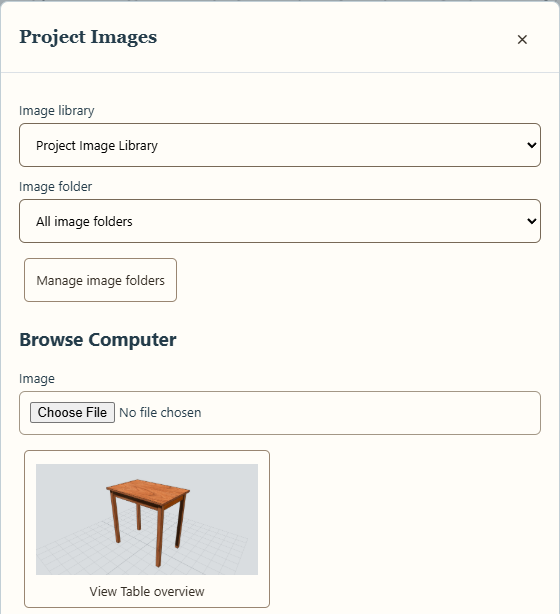
Capture useful model views and collect reference images alongside them. Browse the project collection, select a view that explains a detail, and reuse it in the build guide or other project output.
Output Selector
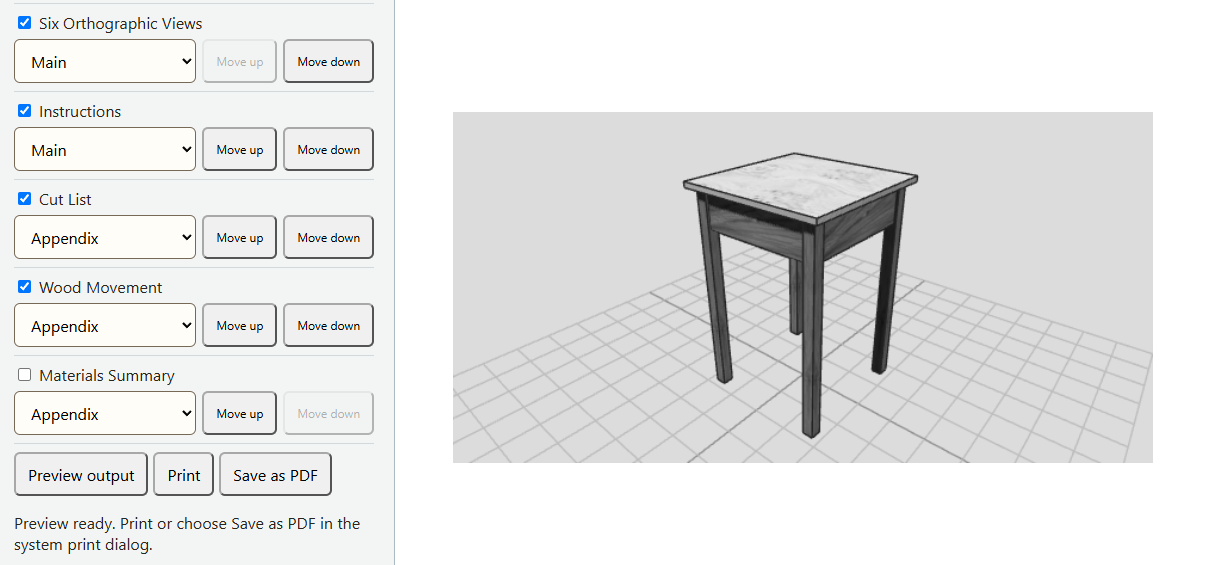
Select the available sections you want in a workshop packet. Preview the selection, check the page order and choose the appropriate print or PDF output for your project.
Help shape the future of woodworking design.
HalfLap is in beta testing. A limited number of places remain in the early woodworking community.